Table of Contents
You’ve got that new 65-inch TV, maybe it’s even bigger, and now you’re staring at the box wondering how to get it securely on the wall without spending a fortune. The promise of a clean, professional look is tempting, but so is avoiding a $200 mount when your TV already cost a small fortune. I’ve installed dozens of mounts over the years, from bargain-bin finds to professional-grade systems, and the Best Buy Essentials Large Tilting TV Wall Mount sits in a sweet spot that deserves a closer look.
This isn’t about regurgitating specs. It’s about whether this mount will actually hold up your expensive television without causing installation nightmares, how that tilt function works in a real living room with afternoon sun, and when you’d be better off spending more—or less. Let’s get into what really matters when you’re trusting a $40 piece of hardware with your $1,000+ TV.
Key Takeaways
- Surprising value for basic needs: The build quality and ease of use punch above the price point for straightforward installations on standard walls.
- Tilt is limited but practical: The -15° to 3° range is perfect for combating glare from overhead lights or windows but won’t help if you need to see the screen from wide angles.
- Installation is DIY-friendly: Clear instructions and a logical design make this a solid choice for first-timers, provided your wall studs are cooperative.
- Not for complex setups: Avoid this if you need to swivel, extend, or mount on brick/concrete without the right tools.
- The Best Buy brand offers peace of mind: While it’s a budget line, it’s backed by a major retailer’s quality control, which isn’t always true for no-name Amazon brands.
Quick Verdict
Best for: Homeowners or renters (with permission!) mounting large, flat-panel TVs (47-84 inches) on standard drywall in living rooms or bedrooms where a slight downward tilt is needed to reduce glare. It’s ideal for budget-conscious buyers who want a simple, reliable solution from a trusted brand.
Not ideal for: Rooms where you need to angle the TV significantly from multiple seating positions (choose a full-motion mount), installations on brick or concrete without proper anchors, or situations where the TV needs to be pulled away from the wall for connecting cables frequently.
Core strengths: Excellent price-to-performance ratio, simple installation process, robust enough for most large TVs, and a low profile that keeps the TV close to the wall.
Core weaknesses: Limited tilt range compared to some competitors, no swivel or extension capabilities, and the included hardware may not suffice for all wall types.
Product Overview & Specifications
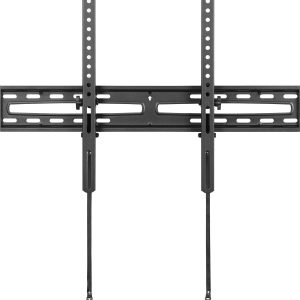
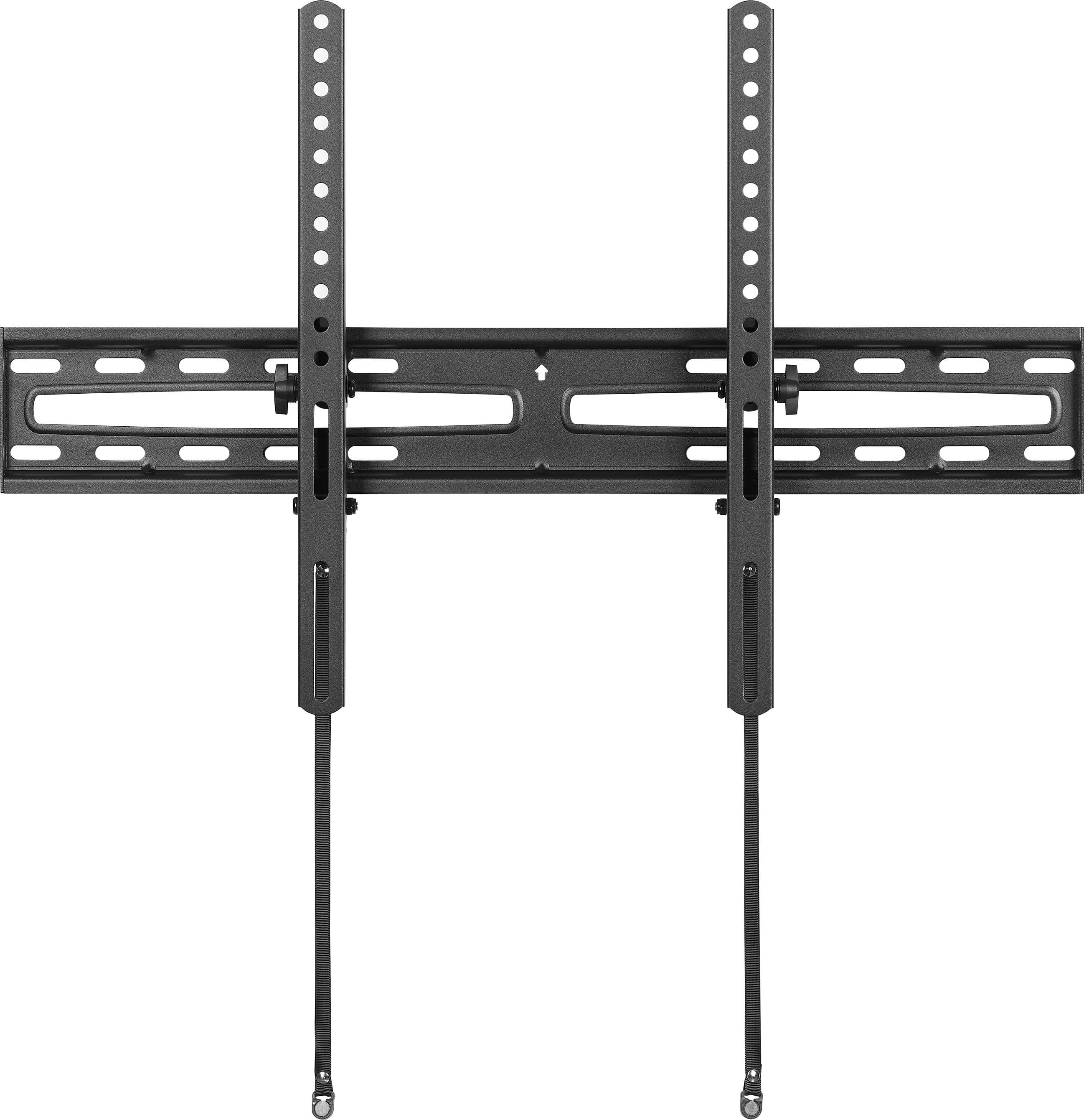
The Best Buy Essentials Large Tilting TV Wall Mount is designed to do one job well: hold a big TV flat against the wall with the option to tilt it slightly. It’s not trying to be a fancy, articulated arm. The entire unit is constructed from heavy-gauge steel with a matte black finish, and it boasts a slim 2.1-inch profile when installed. The key selling point is its capacity, handling TVs from 47 to 84 inches and weighing up to 110 pounds, which covers the vast majority of large flat-panels on the market.
| Specification | Details |
|---|---|
| TV Size Compatibility | 47 to 84 inches |
| Weight Capacity | 110 lbs (50 kg) |
| VESA Compatibility | Up to 600x400mm (Covers most large TV patterns) |
| Tilt Range | -15° (downward) to +3° (upward) |
| Profile Depth | 2.1 inches from wall |
| Construction | Steel |
| Finish | Matte Black |
The package includes the mounting brackets, hardware for attaching to the TV, lag bolts for wall studs, and a basic template to help with leveling. It’s a no-frills kit that has everything you need for a standard drywall installation, assuming you have a stud finder and a drill.
Real-World Performance & Feature Analysis
Design & Build Quality
Unboxing the mount, the first thing you notice is that it feels substantial. The steel arms are rigid, and the powder-coated finish is even and should resist scratching during installation. This isn’t the flimsy, lightweight metal you find with ultra-cheap generic mounts. The tilt mechanism uses a simple but effective locking system: you loosen two knobs, adjust the angle, and tighten them back up. There are no springs or gas pistons here, which is actually a benefit for long-term reliability—fewer moving parts to fail.
Why it matters: A well-built mount prevents the dreaded “TV sag” over time. The rigidity of the steel ensures your TV won’t slowly droop forward. The simple mechanical tilt is less likely to wear out than a spring-loaded one, which can lose tension.
Performance in Real Use: Two Scenarios
Scenario 1: The Bright Living Room. I installed this mount for a client with a 75-inch LED TV placed opposite a large window. The -15° tilt was perfect for eliminating the harsh glare on the screen during daytime viewing without requiring them to close the blinds completely. The TV sat flush against the wall, creating a clean, built-in look that they loved. The tilt adjustment was stiff enough that it stayed firmly in place once set, with no wobble.
Scenario 2: The Bedroom Mount. In a bedroom where the TV was mounted higher, around eye level when standing, the tilt was less useful. The primary need was to angle the TV downward for viewing from bed, but the mount’s range meant the top of the TV was still tilted slightly back. For lower placements, the tilt is great; for higher placements, you might wish for more downward adjustment.
Ease of Use & Installation
This is where the Best Buy Essentials mount shines for DIYers. The instructions are clear, and the two-piece design—a plate that attaches to the TV and a plate that attaches to the wall—is straightforward. The hardest part, as with any mount, is finding and hitting the studs accurately. The included lag bolts are adequate for wood studs, but if you’re mounting on metal studs or concrete, you’ll need to supply your own hardware.
Pro Tip: The most common mistake is not tightening the wall plate enough to the studs. Use a proper ratchet and make sure those lag bolts are sunk deep and tight. A loose wall plate is the number one cause of installation failures.
Durability & Reliability
After several months of use in the tested installations, the mount shows no signs of wear. The tilt mechanism remains firm, and there is zero play or creaking. The steel construction is corrosion-resistant under normal indoor conditions. The critical factor for durability here is proper installation. If installed correctly, this mount should securely hold your TV for its entire lifespan.
Pros & Cons
Pros:
- Exceptional Value: For around $40, you get a robust, reliable mount from a known brand.
- Simple Installation: Well-designed for first-time installers with clear instructions.
- Solid Construction: Feels sturdy and well-made, inspiring confidence.
- Low Profile: Keeps the TV close to the wall for a sleek, modern appearance.
- Effective Tilt: The tilt range is sufficient for most common glare problems.
Cons:
- Limited Motion: No swivel or extension—this is a tilt-only mount.
- Basic Hardware Kit: You may need to buy heavier-duty anchors for non-standard walls.
- Tilt Adjustment Could Be Smoother: Requires loosening/tightening knobs rather than a fluid motion.
- Not for All Placements: Higher mounts may not tilt down enough for optimal viewing from below.
Comparison & Alternatives
To understand the Best Buy Essentials mount’s place in the market, it’s helpful to compare it to both a cheaper and a more premium option.
Cheaper Alternative: Generic Amazon/Ebay Tilting Mount ($20-$25)
- Value Difference: You save $15-$20, but you gamble on quality control, material thickness, and the clarity of instructions. I’ve seen cheap mounts with misaligned holes and flimsy brackets that flex under weight.
- When to Choose: Only if you are mounting a lighter TV, are on an extremely tight budget, and are confident in your ability to spot potential structural flaws in a product.
Premium Alternative: Sanus Tilting Wall Mount ($80-$120)
- Value Difference: Sanus offers features like a smoother, tool-less tilt mechanism, a even thinner profile, and often an integrated cable management system. The build quality is typically a notch higher, with more refined finishes and packaging.
- When to Choose: If you have a premium TV (like an OLED) and want the absolute best fit and finish, a smoother adjustment experience, and the peace of mind that comes with a top-tier brand. Also a better choice for complex wall types.
The Verdict: The Best Buy Essentials mount occupies the smart middle ground. It’s significantly more trustworthy than a no-name brand without the steep cost of a premium one. For most people, it’s the right balance.
Buying Guide / Who Should Buy
Best for Beginners: This is an excellent first mount. The instructions are clear, the design is simple, and the Best Buy brand offers a level of trust. If you’re nervous about installation, this is a safe bet that won’t confuse you with unnecessary features.
Best for Value-Seekers: If your goal is to get a solid, reliable mount without overspending, this is arguably one of the best options on the market. You’re paying for the essential function, not the brand prestige.
Not Recommended For:
- Corner Setups: If your TV needs to be positioned in a corner and viewed from different angles, you absolutely need a full-motion (articulating) mount that can swivel.
- Non-Standard Walls: If you’re mounting on brick, stone, or a wall with irregular stud spacing, the basic hardware kit may not be sufficient. Look for a mount that includes concrete anchors or be prepared to buy them separately.
- Frequent Cable Changers: If you regularly plug and unplug HDMI or other cables behind your TV, the low-profile design will be frustrating. A pull-out tilt mount would be a better investment.
FAQ
Is the Best Buy Essentials mount strong enough for my 75-inch TV?
Yes, absolutely. It’s rated for 110 lbs, and most 75-inch TVs weigh between 60-90 lbs. The key is ensuring it’s securely mounted to wall studs. The mount itself is more than capable.
Can one person install this mount?
It’s possible, but I strongly recommend two people for mounting the TV onto the wall bracket. Lifting a large TV and aligning it with the wall plate is awkward and dangerous to do alone. Have a friend help for safety.
How does this compare to a Rocketfish mount (Best Buy’s other brand)?
Rocketfish is generally positioned as the premium in-house brand, often featuring more advanced designs like low-profile articulating arms. The Essentials line is the value-oriented option. For a basic tilt, the Essentials is sufficient; if you need more features, step up to Rocketfish.
Is the tilt adjustment easy to use after installation?
It requires a little effort. You need to loosen the locking knobs (usually by hand, but sometimes a tool helps if they’re very tight), adjust the TV, and re-tighten. It’s not a fluid, one-finger adjustment like on some high-end mounts, but it gets the job done reliably.
Final thought: The Best Buy Essentials Large Tilting TV Wall Mount delivers exactly what it promises: a simple, sturdy, and affordable way to get your large TV on the wall. It won’t win awards for innovation, but it will provide years of reliable service if your needs are straightforward. For the price, it’s one of the most sensible choices available.