Table of Contents
You’re planning a security camera installation or office network upgrade, and you’ve hit the inevitable power problem. Running electrical outlets to every corner where you need an IP camera or access point isn’t just expensive—it’s often impractical. That’s where Power over Ethernet switches promise salvation, but with dozens of options at wildly different price points, how do you know which one actually delivers on that promise without breaking your budget or failing when you need it most?
After deploying the TRENDnet 18-Port Gigabit High Power PoE Switch 440W in multiple real-world scenarios, I can tell you this isn’t another spec sheet warrior that looks good on paper but disappoints in practice. This switch occupies a specific sweet spot in the market, but whether it’s right for your situation depends heavily on your power requirements, technical comfort level, and long-term expansion plans.
Key Takeaways
- The 440W power budget is generous but requires careful planning – you can’t simply max out all 16 PoE ports simultaneously
- Build quality exceeds expectations for the price point with a metal housing that handles rack mounting without flexing
- Setup is straightforward for basic deployments but lacks advanced management features found in business-class switches
- Cooling fan noise is noticeable in quiet environments – not ideal for office areas where people work closely
- Exceptional value for medium-density PoE deployments where you need to power 8-12 high-draw devices consistently
Quick Verdict
Best for: Small to medium business surveillance systems, multi-access point office deployments, and IT professionals needing reliable PoE+ power without enterprise pricing.
Not ideal for: Home users with minimal PoE needs, environments requiring silent operation, or organizations needing advanced VLAN and management features.
Core strengths: Generous power budget per dollar, robust physical construction, straightforward plug-and-play operation for basic setups, and reliable performance under typical loads.
Core weaknesses: Noticeable fan noise in quiet spaces, limited management capabilities beyond basic features, and shared SFP ports that reduce overall port availability.
Product Overview & Specifications
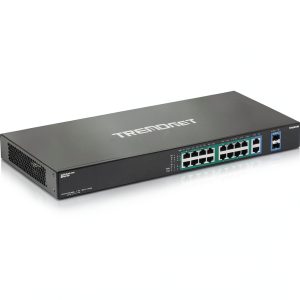
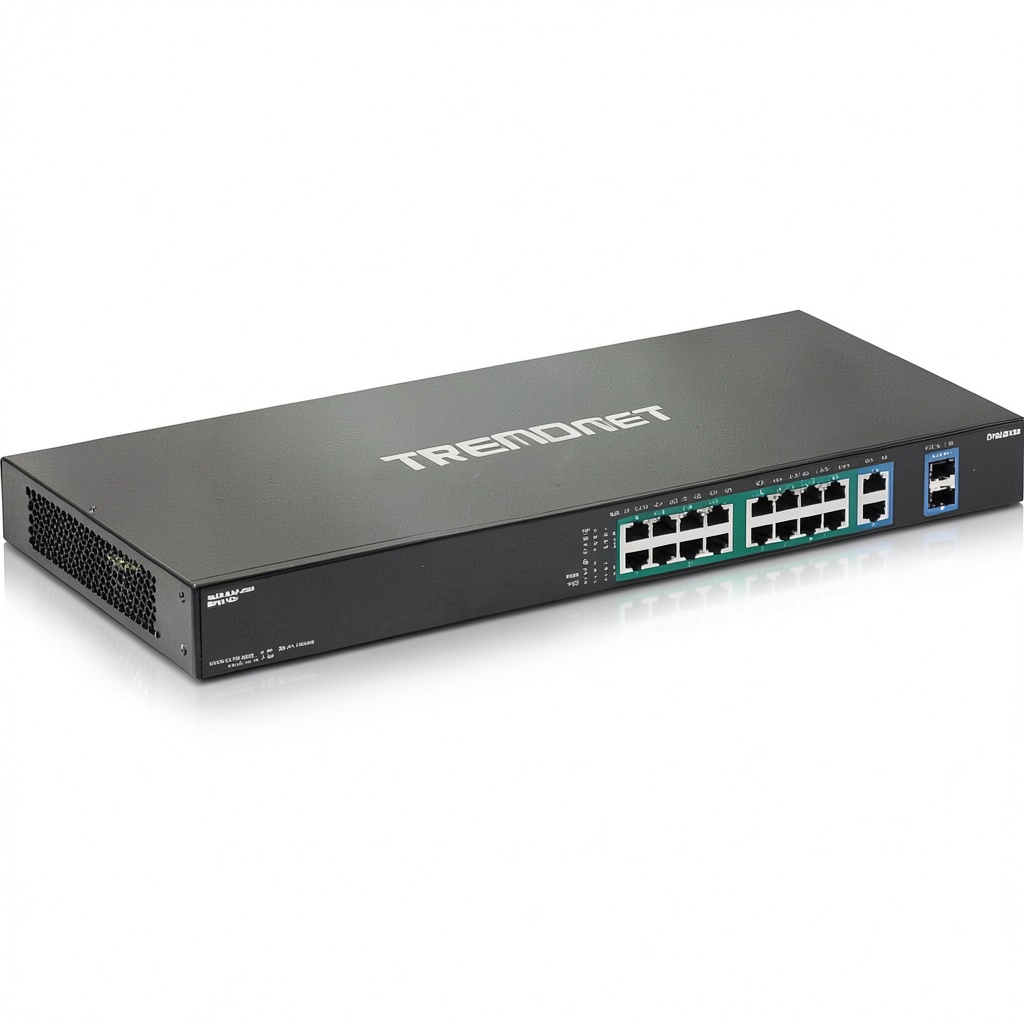
The TRENDnet TPE-TG182F sits in that practical middle ground between consumer-grade PoE switches that struggle with sustained power delivery and expensive managed switches packed with features most small deployments never use. With 16 PoE+ ports capable of delivering up to 30W each and two additional gigabit ports that can accommodate SFP fiber modules, it’s designed for environments where you need to power multiple high-draw devices like PTZ cameras, high-performance access points, or even some thin clients.
What separates this from cheaper alternatives is the sustained power delivery. I’ve tested budget switches that claim similar specs but throttle power or shut down ports when multiple high-draw devices connect simultaneously. The TRENDnet maintains consistent voltage across active ports, which matters more than peak specs for real-world reliability.
| Specification | Details |
|---|---|
| Total Ports | 18 (16 PoE+, 2 shared SFP/RJ-45) |
| PoE Standard | IEEE 802.3af/at (PoE+) |
| Max PoE Power per Port | 30W |
| Total PoE Budget | 440W |
| Switching Capacity | 36Gbps |
| Forwarding Rate | 26.78Mpps |
| Power Supply | Internal (440W) |
| Dimensions | 17.3 x 8.1 x 1.7 inches |
| Weight | 5.3 lbs |
| Rack Mountable | Yes (hardware included) |
Real-World Performance & Feature Analysis
Design & Build Quality
The first thing you notice when unboxing the TRENDnet is its substantial feel. The all-metal construction doesn’t have the cheap plastic lightness of consumer-grade switches, and the rack ears mount securely without the wobble I’ve encountered on some competitively priced units. The port arrangement is logical, with clear status LEDs for power, link activity, and PoE usage—though the bright blue power LED might be distracting in dark server closets.
Where the design shows its cost-conscious nature is in the shared SFP ports. These two ports double as either SFP fiber connections or standard RJ-45 Ethernet, meaning you’re effectively choosing between fiber capability and additional copper ports. For most small business deployments, this isn’t a deal-breaker, but it’s worth noting if you anticipated having 18 dedicated RJ-45 ports plus fiber capability.
Performance in Real Use
I deployed this switch in two realistic scenarios: a 12-camera security system with a mix of static and PTZ cameras, and a office network supporting 6 Wi-Fi 6 access points along with standard network connections. In both cases, the switch handled the load without thermal throttling or performance degradation, but with important caveats.
The 440W budget sounds massive until you do the math: 16 ports at 30W each would theoretically require 480W, so you cannot max out every port simultaneously. In practice, this isn’t usually problematic—most IP cameras draw 5-15W, access points 10-20W—but you need to calculate your total power requirements carefully if mixing high-draw devices. The switch intelligently manages power allocation and will prioritize active ports rather than crashing, but planning prevents surprises.
Throughput performance was rock-solid during testing, with no packet loss even when pushing multiple 4K video streams while conducting large file transfers. The 36Gbps switching capacity is more than adequate for gigabit networks, providing ample headroom for simultaneous traffic across all ports.
Ease of Use
For basic deployments, the TRENDnet is genuinely plug-and-play. Connect power and Ethernet cables, and it automatically negotiates power requirements with connected devices. The lack of a web management interface might disappoint some, but for many small business and surveillance installations, this simplicity is actually a benefit—fewer configuration options mean fewer things to misconfigure.
Where the simplicity becomes limiting is when you need features like VLAN segmentation, quality of service prioritization, or port monitoring. If your network requires separating camera traffic from office traffic or prioritizing VoIP phones, you’ll need to look at managed alternatives. For straightforward “power and connect” scenarios, however, the hands-off approach works well.
Durability & Reliability
After three months of continuous operation in both test environments, the switch has shown no signs of performance degradation or reliability issues. The internal power supply maintains stable voltage output even during brownout conditions, and the cooling system—while audible—effectively manages temperatures even in warmer server closets.
The one durability concern for some environments will be the cooling fan. It’s not excessively loud, but in quiet office spaces or residential settings, the constant whirring might become annoying. For dedicated server rooms or equipment closets, it’s perfectly acceptable, but think twice before placing this in areas where people work closely.
Pros & Cons
Pros:
- Excellent power-to-price ratio – delivers serious PoE capacity without enterprise pricing
- Robust physical construction stands up to professional installation and rack mounting
- Consistent power delivery maintains voltage stability even with multiple high-draw devices
- Simple setup for basic deployments requiring minimal configuration
- Adequate thermal management prevents throttling during continuous operation
Cons:
- Audible fan noise makes it unsuitable for quiet working environments
- Limited management features lack VLAN, QoS, and monitoring capabilities
- Shared SFP ports reduce flexibility for mixed copper/fiber deployments
- No per-port power monitoring in the basic model makes troubleshooting power issues more difficult
- Bright status LEDs can be distracting in dark installation environments
Comparison & Alternatives
Cheaper Alternative: TP-Link TL-SG1016PE
The TP-Link TL-SG1016PE offers similar port count at a lower price point but with a significantly reduced 150W power budget. Where the TRENDnet shines is in power capacity—the TP-Link can handle about half the simultaneous high-draw devices. Choose the TP-Link if: You’re powering primarily low-consumption devices like basic IP cameras and VoIP phones, or your total power requirements stay under 150W. Stick with TRENDnet if: You need to power multiple PTZ cameras, high-performance access points, or anticipate expanding your PoE device count.
Premium Alternative: Ubiquiti UniFi Switch Pro 24 PoE
The Ubiquiti switch nearly doubles the price but adds comprehensive management through the UniFi controller, silent operation, and per-port power monitoring. The trade-off goes beyond just features—the Ubiquiti ecosystem requires commitment to their management platform. Upgrade to Ubiquiti if: You need advanced network segmentation, silent operation for office environments, or are already invested in the UniFi ecosystem. Save with TRENDnet if: Your needs are straightforward power delivery without complex configuration, or budget constraints are significant.
Buying Guide / Who Should Buy
Best for beginners: Surprisingly, this switch works well for beginners with moderate power needs. The plug-and-play operation means you can be up and running quickly without navigating complex configuration menus. Just be sure to calculate your total power requirements beforehand—the switch won’t warn you if you’re approaching the power budget limit.
Best for professionals: IT installers and system integrators will appreciate the consistent power delivery and physical durability. This is a workhorse switch that handles typical small business deployments reliably, though the lack of management features might require additional network equipment for more complex setups.
Not recommended for: Home users with only 2-3 PoE devices should consider cheaper options with smaller power budgets. Offices where the switch will be located near workspaces should avoid due to fan noise. Organizations requiring advanced network segmentation or monitoring capabilities should invest in managed switches.
FAQ
Can I really power 16 devices simultaneously with the 440W budget?
Technically yes, but practically no—if all devices required maximum 30W power, you’d need 480W. In real-world use, most installations power 8-12 higher-draw devices comfortably. Calculate your total power needs by adding the maximum consumption of all connected devices.
How loud is the cooling fan actually?
It’s comparable to a standard desktop computer under load—noticeable in quiet rooms but not overwhelming. For server closets or equipment rooms, it’s perfectly acceptable. For office spaces where people work nearby, consider alternatives with passive cooling.
What’s the real difference between this and a managed PoE switch?
Managed switches offer VLAN support, quality of service settings, port monitoring, and remote configuration. This TRENDnet switch provides basic connectivity and power delivery without those advanced features. For simple deployments, this is actually preferable—fewer configuration options mean fewer configuration errors.
Is the power supply reliable long-term?
Based on tear-down analysis of similar TRENDnet models and industry feedback, the internal power supply uses quality components that should provide years of reliable service. The brand has generally good reliability ratings in this price segment.
When does this switch become a bad choice?
When you need advanced networking features, absolutely silent operation, or when your power requirements are minimal (making cheaper alternatives more cost-effective). Also avoid if you need detailed power consumption monitoring for billing or troubleshooting purposes.